

Serverless Inference
Serverless Inference provides access to open source foundation models through W&B Weave and an OpenAI-compliant API. This guide describes how to call Serverless Inference from the API and the Weave UI, and how to trace, evaluate, and monitor those calls with Weave. With Serverless Inference, you can:- Develop AI applications and agents without signing up for a hosting provider or self-hosting a model.
- Try the supported models in the Weave Playground.
This guide provides the following information:
Prerequisites
Before you can access the Serverless Inference service through the API or the Weave UI, you must have the following:- A W&B account. Sign up for an account.
- A W&B API key. Create an API key at User Settings.
- A W&B project.
- If you’re using the Inference service through Python, see Additional prerequisites for using the API via Python.
Additional prerequisites for using the API via Python
To use the Inference API through Python, first complete the general prerequisites. Then, install theopenai and weave libraries in your local environment. The openai library provides the OpenAI-compatible client that you use to call the Inference endpoint, and the weave library lets you trace and evaluate those calls.
The
weave library is only required if you use Weave to trace your LLM applications. For information about getting started with Weave, see the Weave Quickstart.For usage examples demonstrating how to use the Serverless Inference service with Weave, see the API usage examples.API specification
The following sections provide API specification information and API usage examples, so you can call the Inference service programmatically from your own application or scripts.Endpoint
Access the Inference service through the following endpoint:Available methods
The Inference service supports the following API methods:Chat completions
The primary API method available is/chat/completions, which supports OpenAI-compatible request formats for sending messages to a supported model and receiving a completion. For usage examples demonstrating how to use the Serverless Inference service with Weave, see the API usage examples.
To create a chat completion, you need:
- The Inference service base URL
https://api.inference.wandb.ai/v1 - Your W&B API key
<your-api-key> - Your W&B entity and project names
<your-team>/<your-project> - The ID for the model you want to use, one of:
meta-llama/Llama-3.1-8B-Instructdeepseek-ai/DeepSeek-V3-0324meta-llama/Llama-3.3-70B-Instructdeepseek-ai/DeepSeek-R1-0528meta-llama/Llama-4-Scout-17B-16E-Instructmicrosoft/Phi-4-mini-instruct
- Bash
- Python
List supported models
Use the API to query all available models and their IDs. This is useful for selecting models dynamically or inspecting what’s available in your environment.- Bash
- Python
Usage examples
The following sections provide several examples demonstrating how to use Serverless Inference with Weave. Start with the basic example to trace a single model call, then move on to the advanced example to evaluate and compare multiple models.- Basic example: Trace Llama 3.1 8B with Weave
- Advanced example: Use Weave Evaluations and Leaderboards with the Inference service
Basic example: Trace Llama 3.1 8B with Weave
The following Python code sample shows how to send a prompt to the Llama 3.1 8B model using the Serverless Inference API and trace the call in Weave. Tracing lets you capture the full input and output of the LLM call, monitor performance, and analyze results in the Weave UI. In this example:- You define a
@weave.op()-decorated function,run_chat, which makes a chat completion request using the OpenAI-compatible client. - Weave records your traces and associates them with your W&B entity and project
project="<your-team>/<your-project>". - Weave automatically traces the function, logging its inputs, outputs, latency, and metadata (like model ID).
- The result prints in the terminal, and the trace appears in your Traces tab at https://wandb.ai under the specified project.
https://wandb.ai/<your-team>/<your-project>/r/call/01977f8f-839d-7dda-b0c2-27292ef0e04g), or:
- Navigate to https://wandb.ai.
- Select the Traces tab to view your Weave traces.
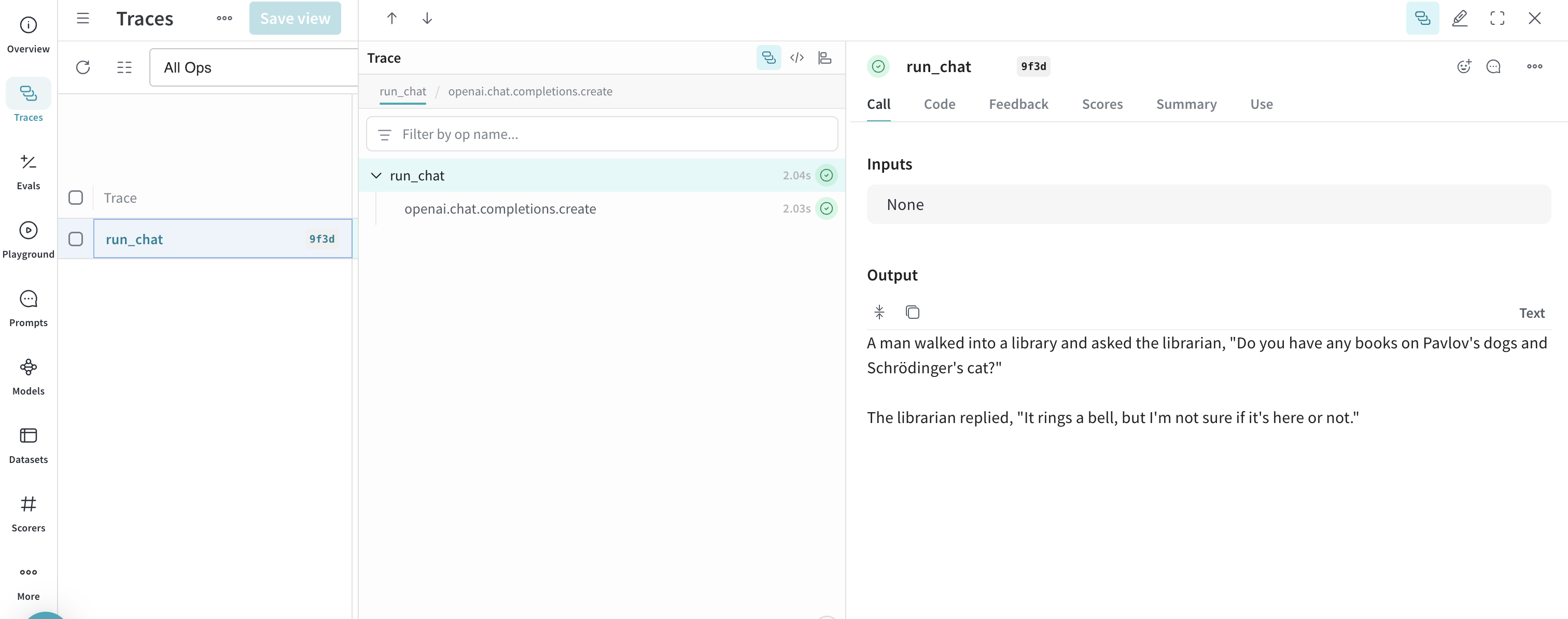
Advanced example: Use Weave Evaluations and Leaderboards with the Inference service
Also, you can use Weave with the Inference service to trace model calls, evaluate performance, and publish a leaderboard. The following Python code sample compares two models on a question-answer dataset. To use this example, you must complete the general prerequisites and Additional prerequisites for using the API via Python.- Navigate to the Traces tab to view your traces.
- Navigate to the Evals tab to view your model evaluations.
- Navigate to the Leaders tab to view the generated leaderboard.
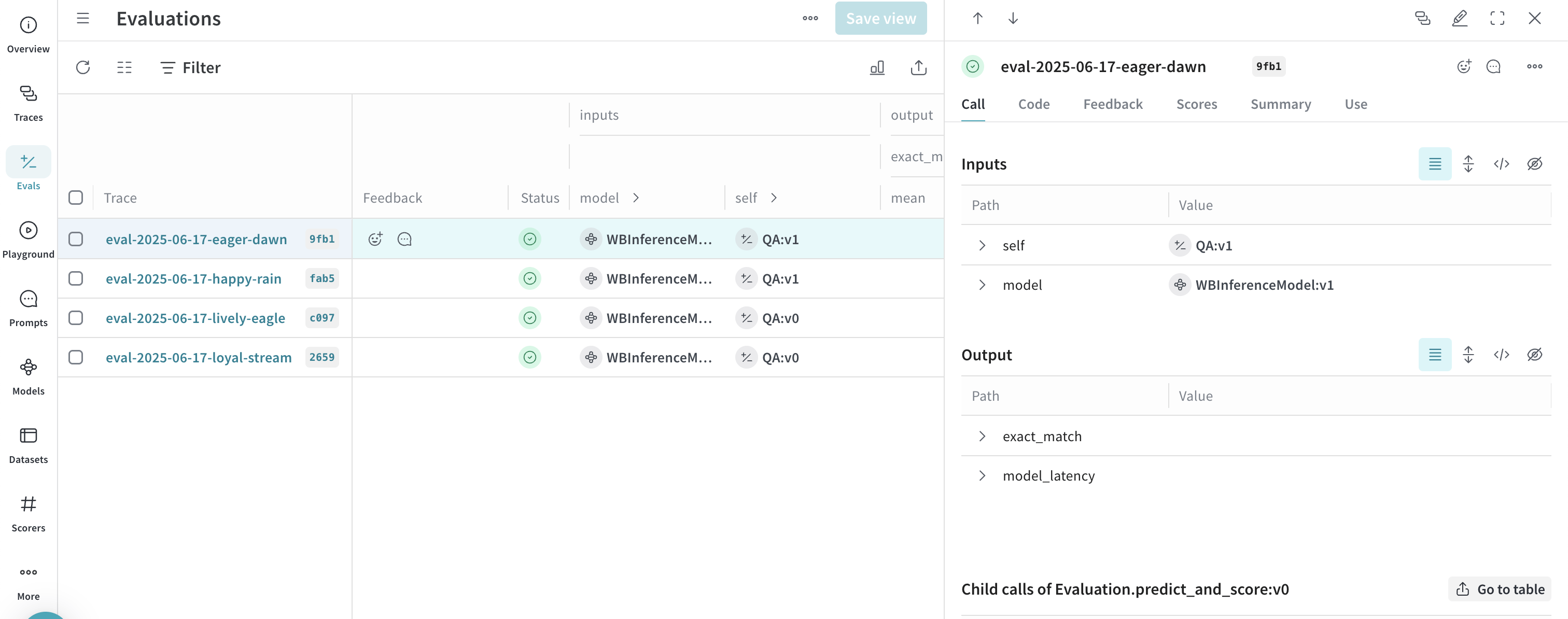
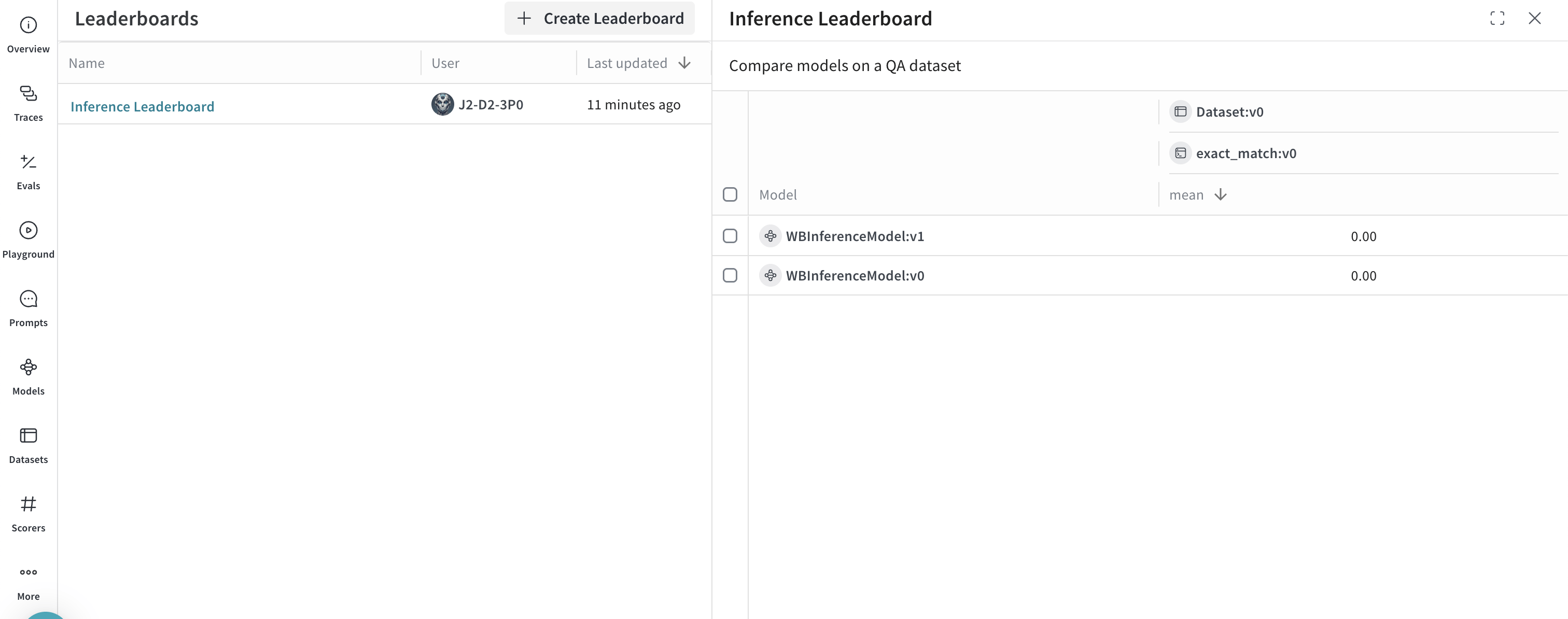
UI
The following sections describe how to use the Inference service from the W&B UI. Before you can access the Inference service through the UI, complete the prerequisites.Access the Inference service
You can access the Inference service through the Weave UI from the following locations:Direct link
Navigate to https://wandb.ai/inference.From the Inference tab
- Navigate to your W&B account at https://wandb.ai/.
- From the left sidebar, select Inference. A page with available models and model information displays.
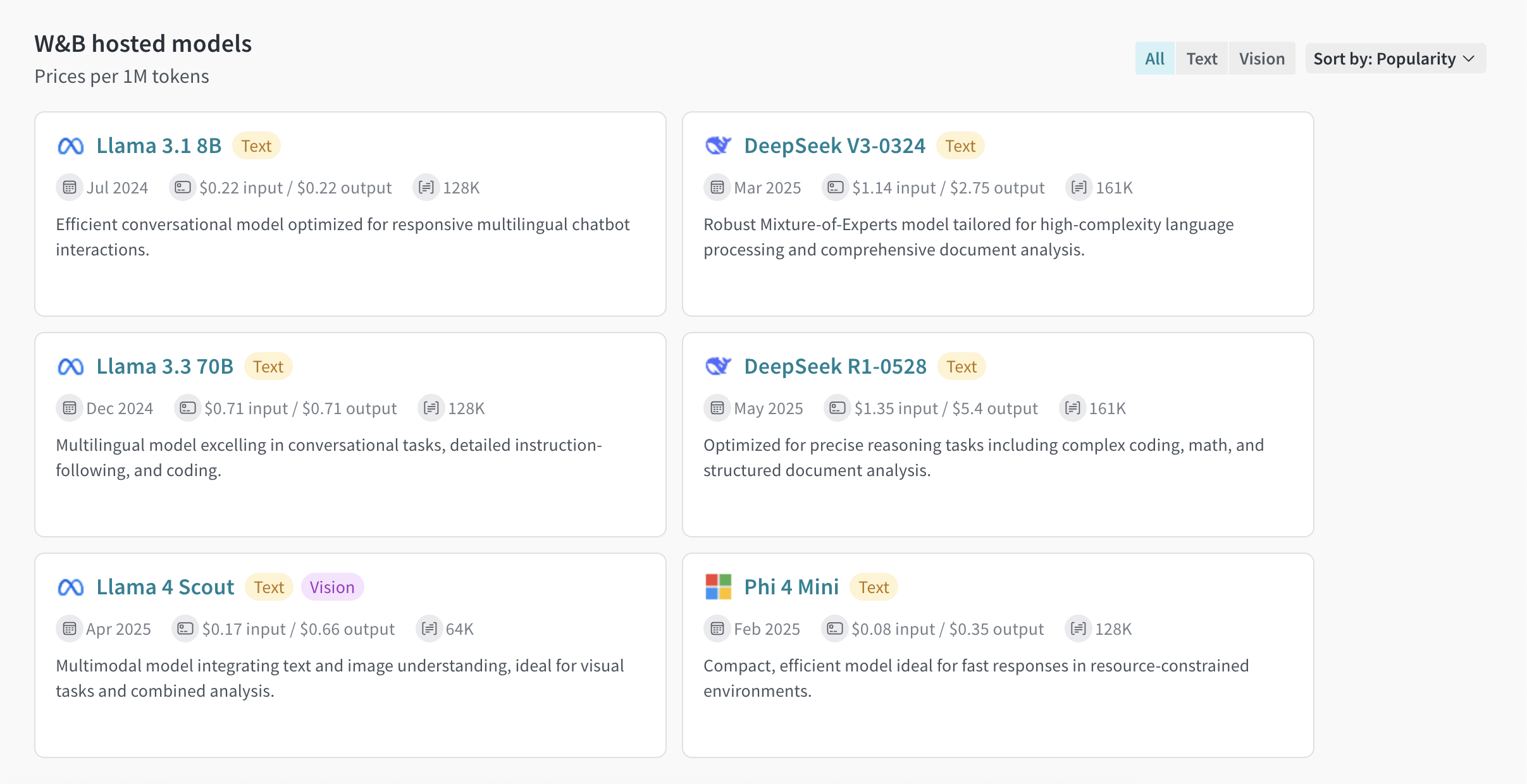
From the Playground tab
- From the left sidebar, select Playground. The Playground chat UI displays.
- From the LLM dropdown list, hover over Serverless Inference. A dropdown with available Serverless Inference models displays to the right.
- From the Serverless Inference models dropdown, you can:
- Click the name of any available model to try it in the Playground.
- Compare one or more models in the Playground.
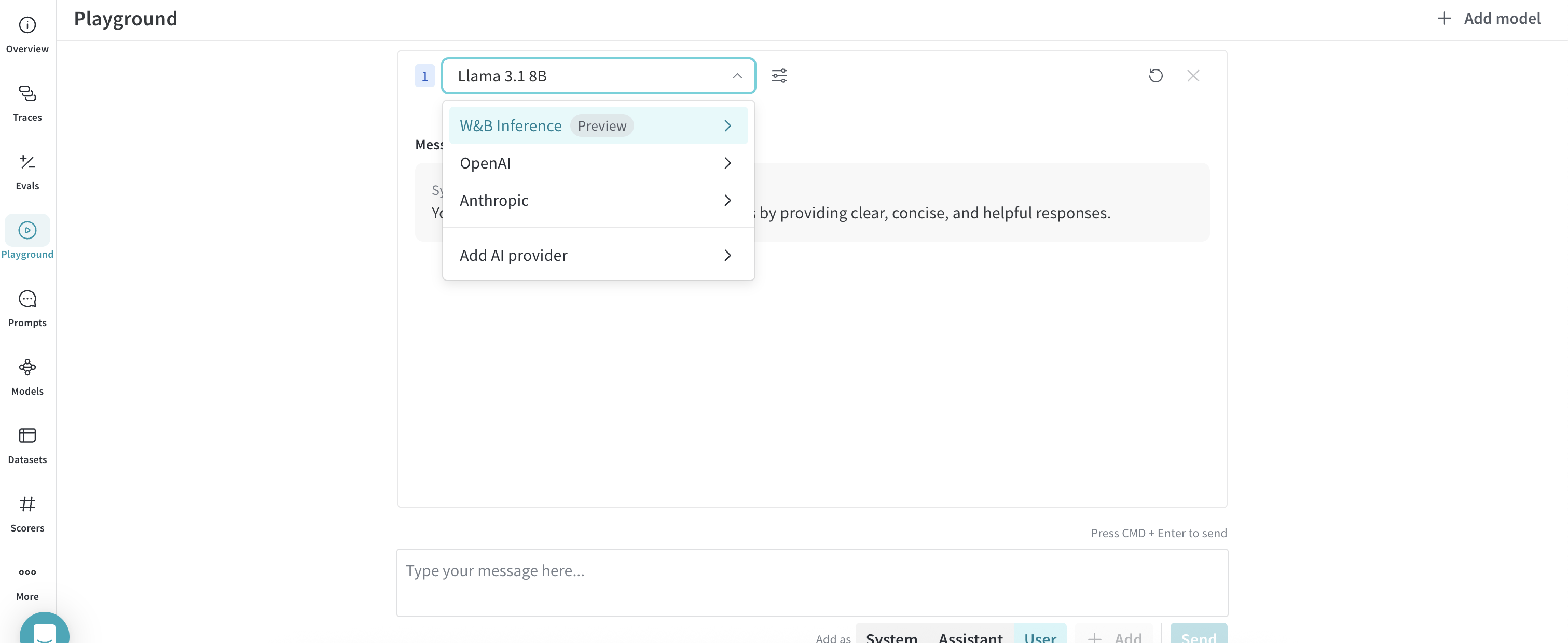
Try a model in the Playground
After you’ve selected a model using one of the access options, you can try the model in Playground. The following actions are available:- Customize model settings and parameters
- Add, retry, edit, and delete messages
- Save and reuse a model with custom settings
- Compare multiple models
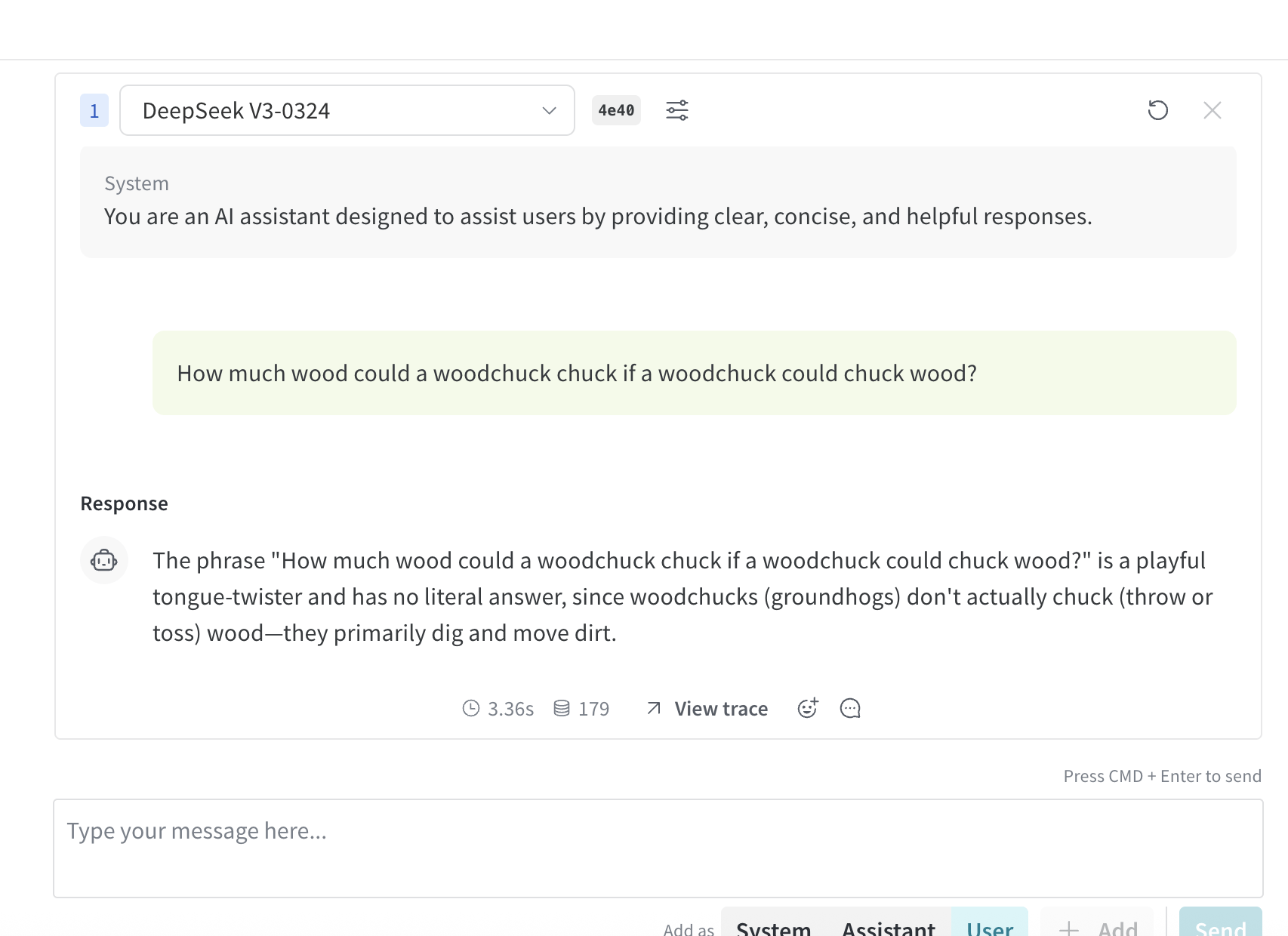
Compare multiple models
You can compare multiple Inference models in the Playground. Access the Compare view from two different locations:Access the Compare view from the Inference tab
- From the left sidebar, select Inference. A page with available models and model information displays.
- To select models for comparison, click anywhere on a model card (except for the model name). The border of the model card highlights in blue to indicate the selection.
- Repeat step 2 for each model you want to compare.
- In any of the selected cards, click the Compare N models in the Playground button (
Nis the number of models you’re comparing. For example, when you select 3 models, the button displays as Compare 3 models in the Playground). The comparison view opens.
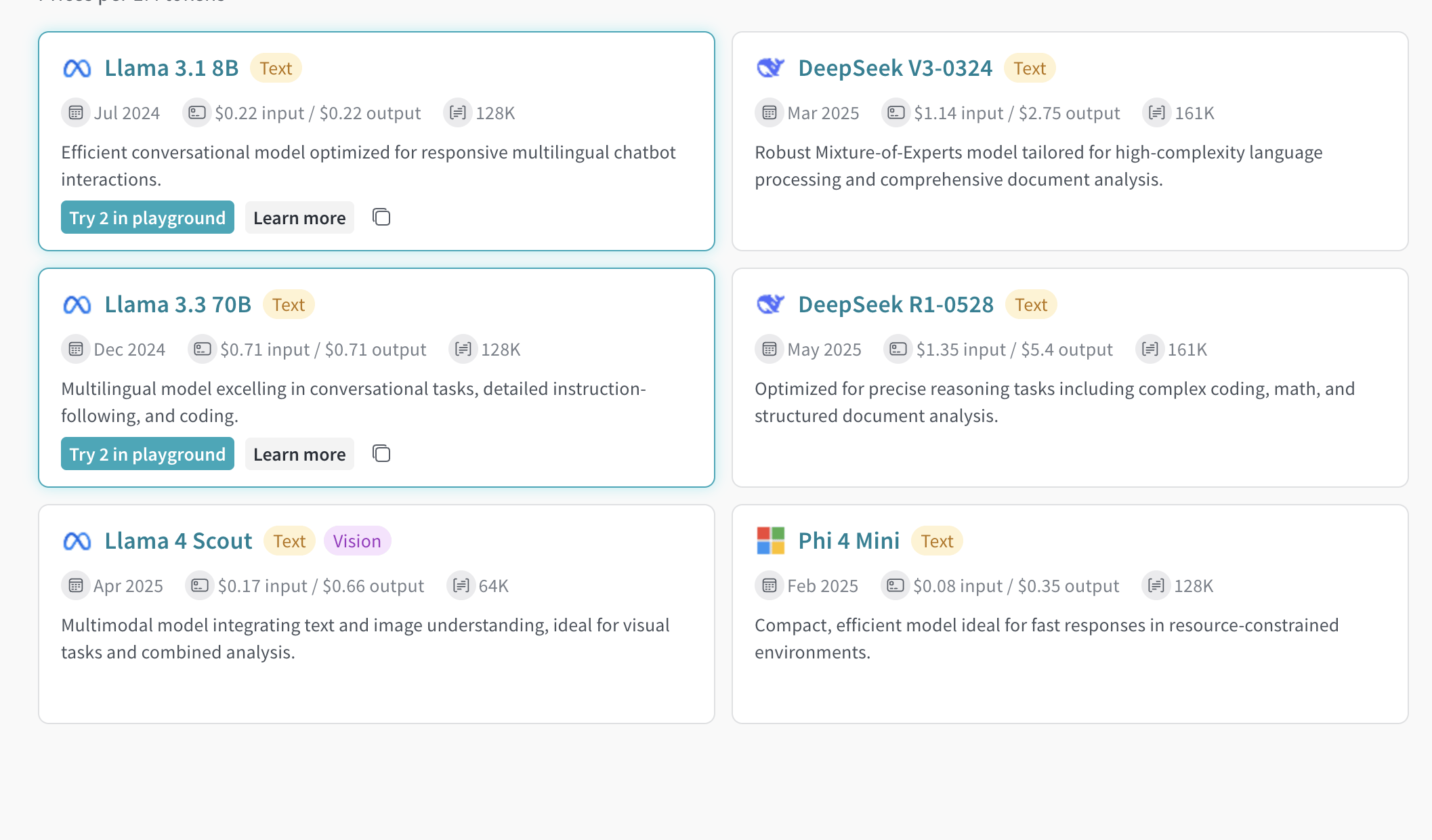
Access the Compare view from the Playground tab
- From the left sidebar, select Playground. The Playground chat UI displays.
- From the LLM dropdown list, hover over Serverless Inference. A dropdown with available Serverless Inference models displays to the right.
- From the dropdown, select Compare. The Inference tab displays.
- To select models for comparison, click anywhere on a model card (except for the model name). The border of the model card highlights in blue to indicate the selection.
- Repeat step 4 for each model you want to compare.
- In any of the selected cards, click the Compare N models in the Playground button (
Nis the number of models you’re comparing. For example, when you select 3 models, the button displays as Compare 3 models in the Playground). The comparison view opens.
View billing and usage information
Organization admins can track current Inference credit balance, usage history, and upcoming billing (if applicable) directly from the W&B UI:- In the W&B UI, navigate to the W&B Billing page.
- In the bottom right corner, the Inference billing information card displays. From here, you can:
- Click the View usage button in the Inference billing information card to view your usage over time.
- If you’re on a paid plan, view your upcoming inference charges.
Usage information and limits
The following sections describe important usage information and limits, including geographic restrictions, concurrency limits, and pricing. Familiarize yourself with this information before using the service.Geographic restrictions
The Inference service is only accessible from supported geographic locations. For more information, see the Terms of Service.Concurrency limits
To ensure fair usage and stable performance, the Serverless Inference API enforces rate limits at the user and project level. These limits help:- Prevent misuse and protect API stability.
- Ensure access for all users.
- Manage infrastructure load effectively.
429 Concurrency limit reached for requests response. To resolve this error, reduce the number of concurrent requests.