

 Instructor is a lightweight library for getting structured data like JSON from LLMs. This guide shows you how to trace Instructor calls with Weave so you can debug structured extraction, capture Pydantic validation, and inspect retry logic.
Tracing
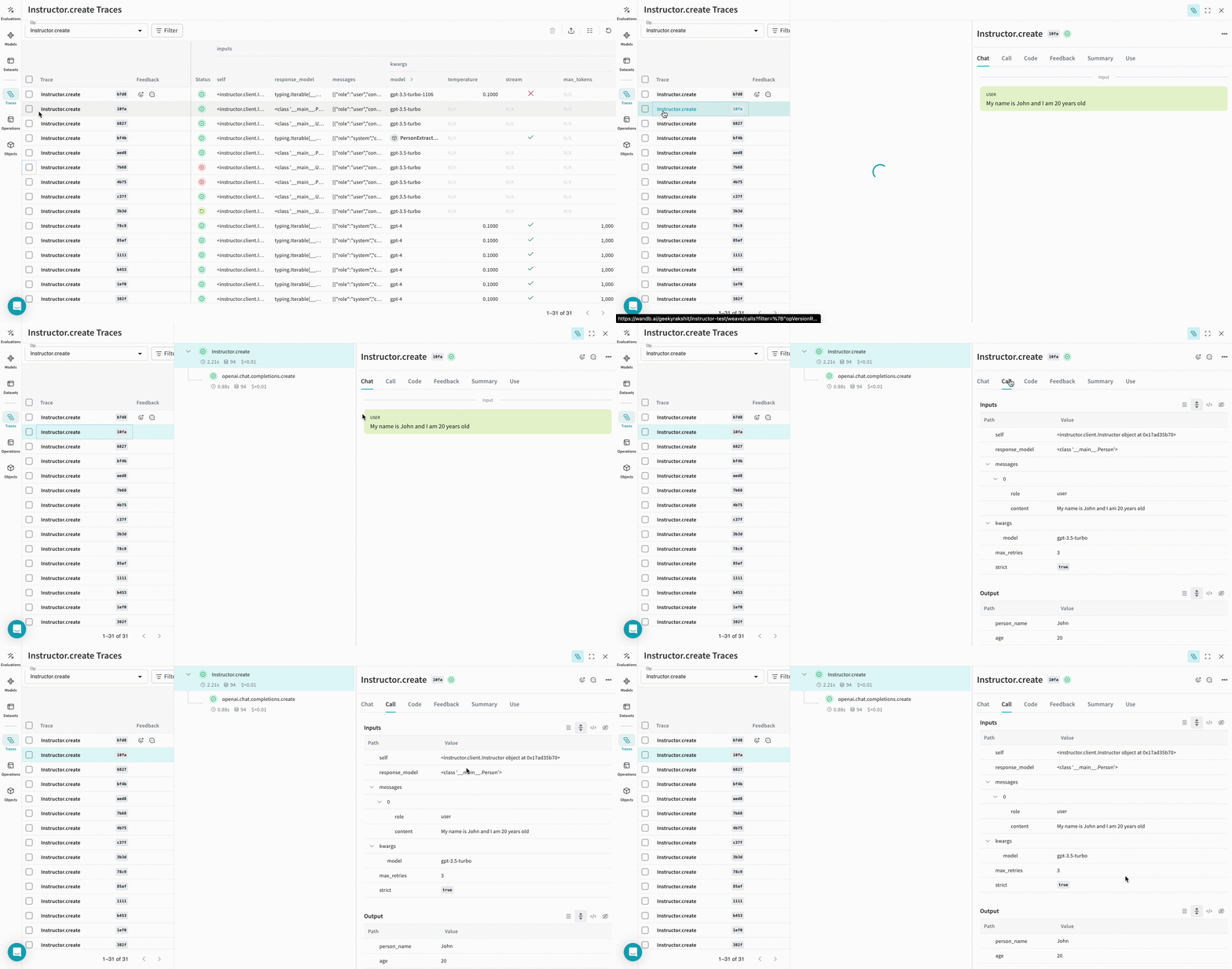
It’s important to store traces of language model applications in a central location, both during development and in production. These traces can be useful for debugging, and as a dataset that will help you improve your application. Weave automatically captures traces for Instructor. To start tracking, callweave.init(project_name="[YOUR-WANDB-PROJECT-NAME]") and use the library as normal.
 |
|---|
| Weave tracks and logs all LLM calls made using Instructor. You can view the traces in the Weave web interface. |
Track your own ops
Wrapping a function with@weave.op starts capturing inputs, outputs, and app logic so you can debug how data flows through your app. You can deeply nest ops and build a tree of functions that you want to track. This also starts automatically versioning code as you experiment, capturing ad hoc details that haven’t been committed to Git.
Create a function decorated with @weave.op.
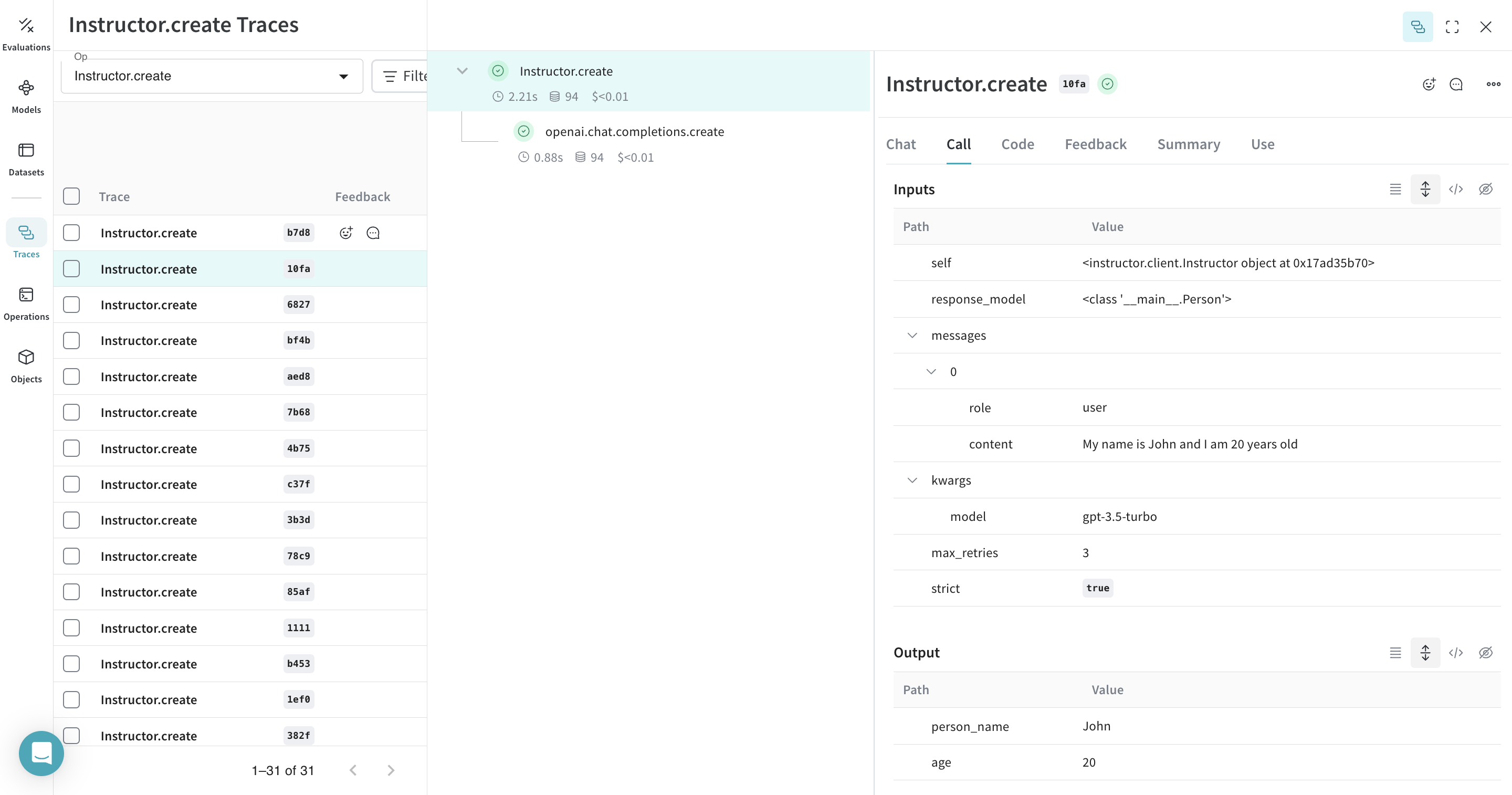
In the following example, the extract_person function is the metric function wrapped with @weave.op. This lets you see intermediate steps, such as the OpenAI chat completion call.
 |
|---|
Decorating the extract_person function with @weave.op traces its inputs, outputs, and all internal LM calls made inside the function. Weave also automatically tracks and versions the structured objects generated by Instructor. |
Create a Model for easier experimentation
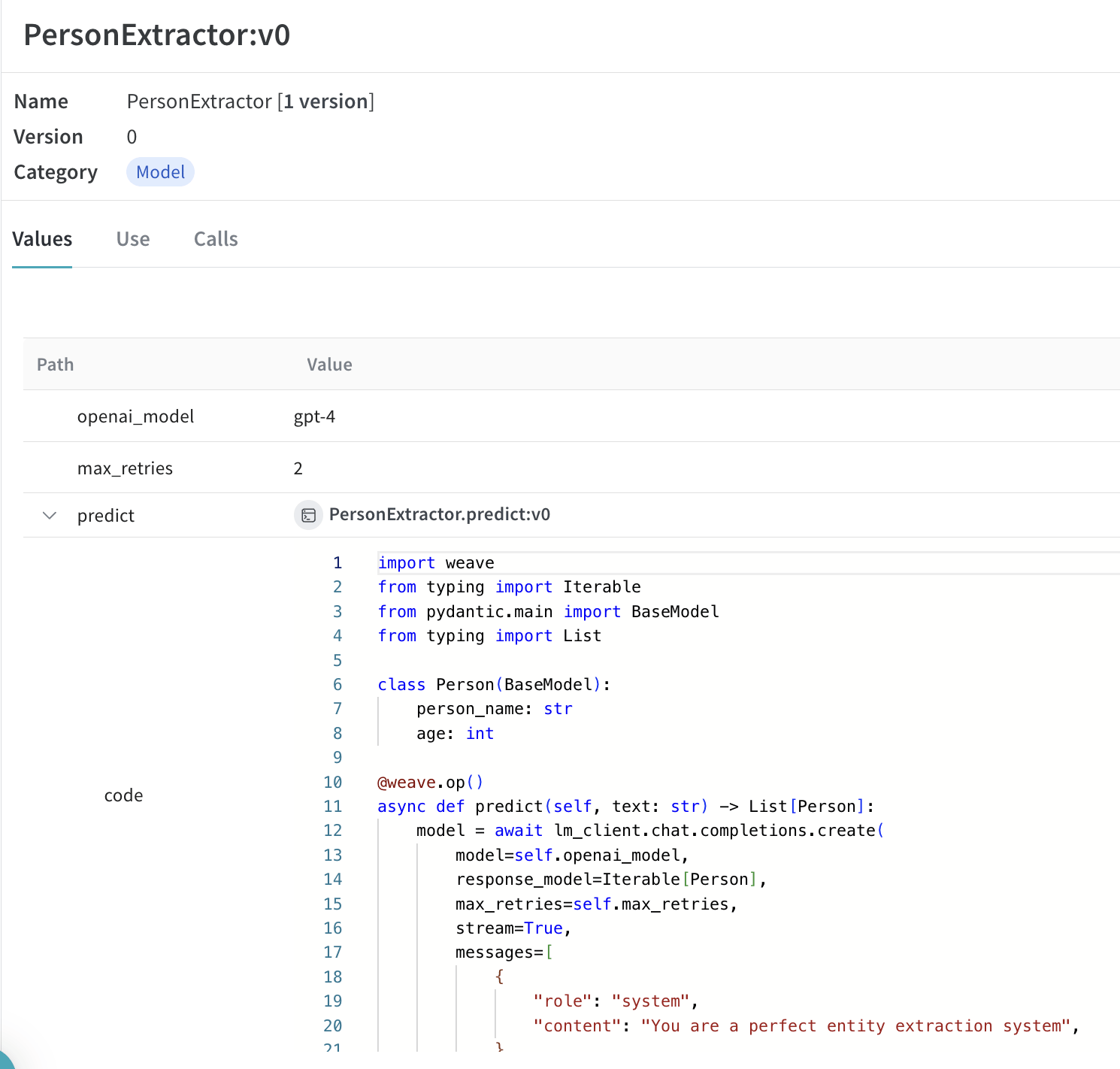
Organizing experimentation is difficult when there are many moving pieces. By using the Model class, you can capture and organize the experimental details of your app like your system prompt or the model you’re using. This helps organize and compare different iterations of your app.
In addition to versioning code and capturing inputs and outputs, Models capture structured parameters that control your application’s behavior, so you can find which parameters worked best. You can also use Weave Models with serve and Evaluations.
In the following example, you can experiment with PersonExtractor. Every time you change one of these, you’ll get a new version of PersonExtractor.
 |
|---|
Tracing and versioning your calls using a Model |
Serve a Weave Model
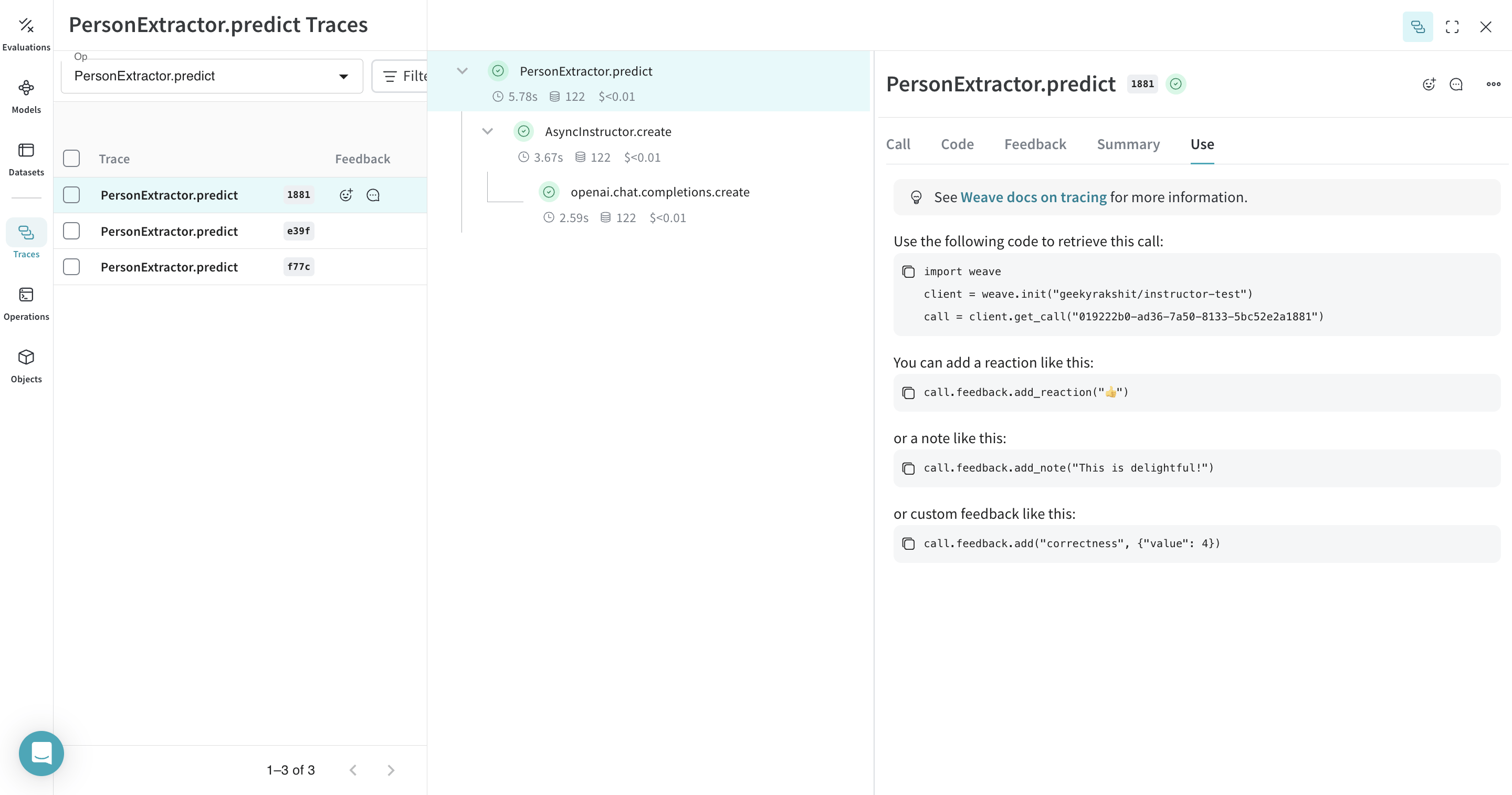
After you save aweave.Model, you can serve it as a FastAPI endpoint to test it from outside the notebook or integrate it with other applications. Given a Weave reference to a weave.Model object, you can start a FastAPI server and serve it.
 |
|---|
You can find the weave reference of any weave.Model by navigating to the model and copying it from the UI. |